For builders
Bring your own stack. Drive it by voice.
You've built agents, workflows and scripts that do real work. Snag gives them a voice front end: something you can talk to with the phone in your pocket, on your AirPods, and on the car screen.
Point Snag at your agents, your n8n and Zapier workflows, a commands file in your Git repo and your own models. Then ask, send jobs, run commands and approve what's waiting, all hands-free, with rules you set for every action.
Deploy staging from the M4
Here's a Tuesday. You're on the M4, the release is ready, and staging needs a deploy before the client call at ten.
- You Sysadmin, deploy staging.
- Snag Sysadmin wants to deploy release 4.2 to staging. That can't be undone. Code word?
- You Blue heron.
- Snag Approved. Sysadmin is on it.
- Snag Staging's deployed. Tests are green.
No phone in your hand, no laptop on the passenger seat. Sysadmin proposed the deploy as irreversible, and your rule for deploys said "code word in the car". Set it to "park it" instead and it waits for a screen, with nothing approved by silence.
Snag for CarPlay is built for the car: voice first, a short list behind it, approvals as a single alert, nothing to read while you drive. Out of the car, the same loop works through Siri and your AirPods with the phone in your pocket.
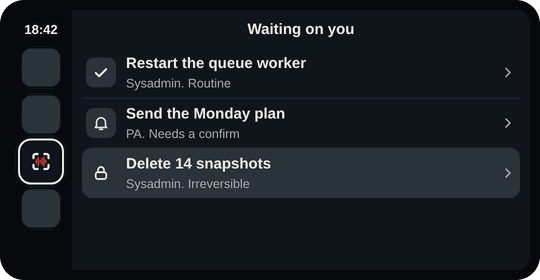
1. "What's waiting?" 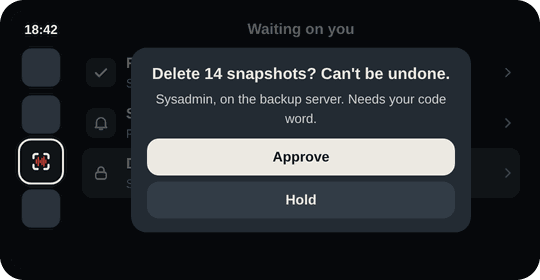
2. Can't be undone: it says so. 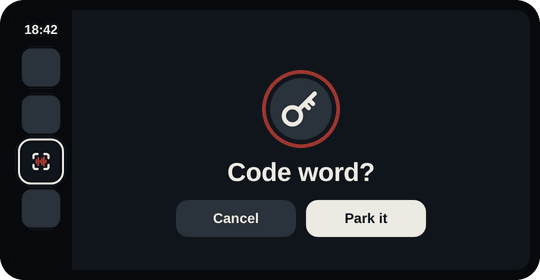
3. Your code word, or park it. 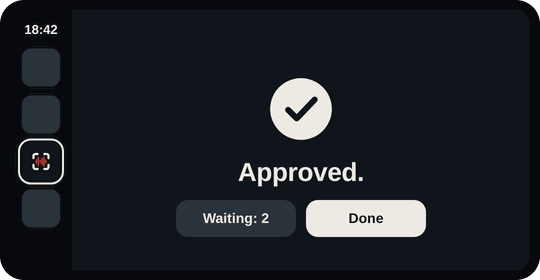
4. Approved. Two left.
Snag Control Pro
Your own agents
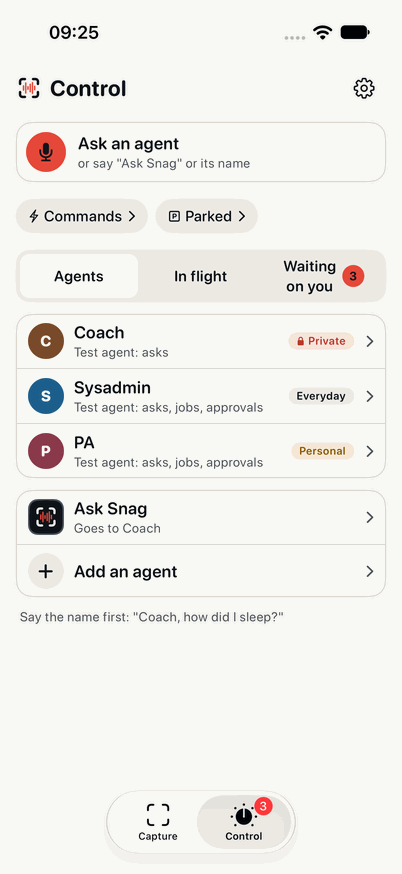
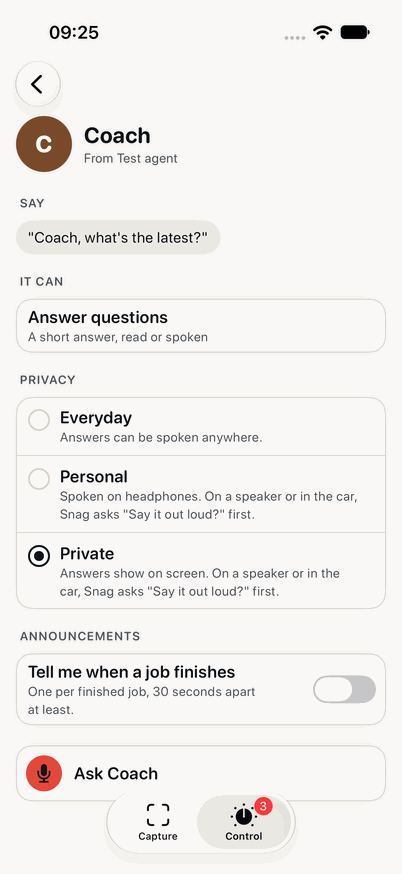
Connect Hermes, an OpenClaw-style harness, or anything that speaks the Snag agent API, which follows the shape of A2A, the open Agent2Agent protocol. An agent describes itself once: its spoken name, what it can answer and do, the actions it proposes and how private its answers are. None of it is built into Snag.
- Ask: "Coach, how did my run go?" The full answer on screen; 8 to 25 words out loud, after "Say it out loud?" for a Private agent.
- Dispatch: "Sysadmin, look into the build server, notes for tomorrow." Five words back, "Sent.", and a digest in the morning: the short version, what was checked, and a next step with its own approval.
- Status: In flight shows live steps from the agent, if it sends them, and where you asked from.
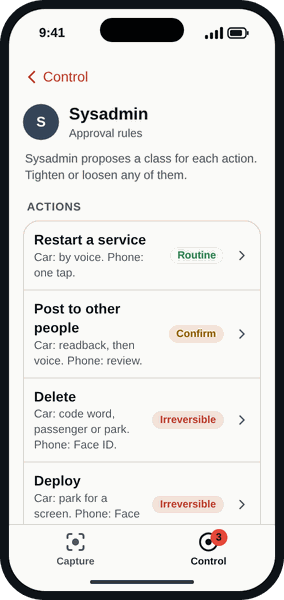
- Approve or park: the agent proposes Routine, Needs a confirm or Irreversible for each action type. You tighten or loosen it per agent, or block it from Snag altogether.
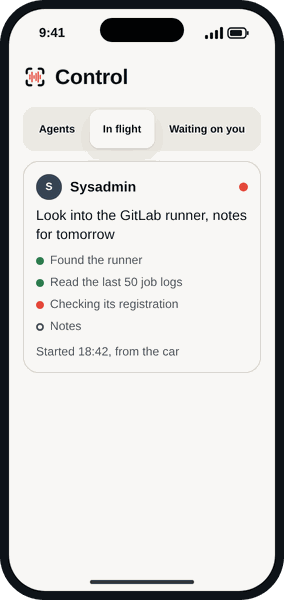
Rules per agent, per action
"Sysadmin restarts: by voice. Sysadmin deletes: code word or screen. Sysadmin spends money: not through Snag." On the phone, irreversible actions show exactly what will happen, then ask for Face ID. In the car, you pick from a spoken code word, passenger mode or parking it. New action types an agent adds later start as "park it" until you say otherwise.
Commands: a phrase, an action, a reply
A command is something you say that isn't for an agent. Give it a phrase with slots, pick what it does, and Snag says the answer back.
A webhook
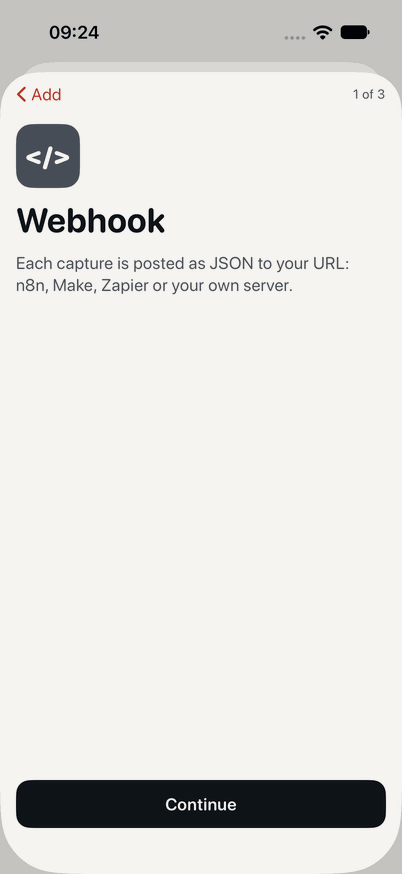
An n8n, Zapier or Make workflow, or any web address. Calls are signed with Standard Webhooks once the command has a signing secret. Commands added in the app get one straight away.
A Shortcut
Run one of your Shortcuts on the phone, with the slots filled in.
An agent
Turn a phrase into an ask or a dispatch to one of your agents.
A destination
Fill in a template and send it to Todoist, Obsidian or any of the sixteen.
n8n in four steps
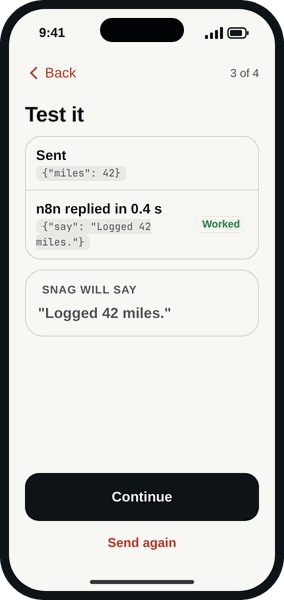
Paste your Webhook node's URL, or scan the QR code n8n shows. Copy Snag's signing secret into n8n once, so the workflow can tell it's really Snag. Send a test, then name the phrase. Say "log 42 miles" and Snag sends:
POST /webhook/miles HTTP/1.1
Host: n8n.example.net
Content-Type: application/json
webhook-id: msg_2Nf8xQe7
webhook-timestamp: 1792138129
webhook-signature: v1,K5oZfzN95Z9UVu1EsfQmfVNQhnkZ2pj9o9NDN/H/pI4=

{"miles": 42}
Your workflow answers with a line to say, and Snag says it:
{"say": "Logged 42 miles."}Zapier's Catch Hook works the same way. Zapier replies before the Zap runs, so Snag says "Sent." unless a later step calls back with something to say.
Commands in your Git repo
Keep your commands in .snag/commands.yaml, next to the workflows they call, reviewed like any other change. Link the repo from the phone: GitHub with a short device code, GitLab by signing in to gitlab.com or your own server. Snag reads that one file and writes nothing back.
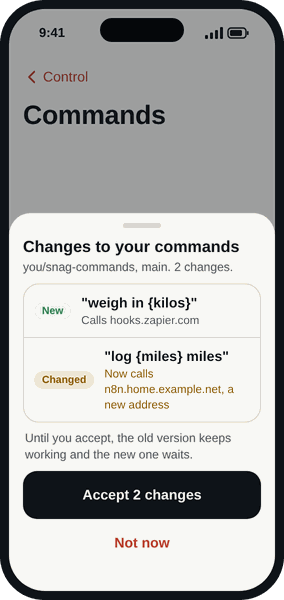
It checks for changes when Snag opens. Edits that call addresses you've already accepted just work. Anything that calls a new web address waits for one tap, and until then the old version keeps working.
# .snag/commands.yaml
snag: 1
commands:
  - id: miles
    triggers: ["log {miles} miles"]
    action:
      type: webhook
      url: https://n8n.example.net/webhook/miles
      secret_ref: n8n.miles
    response:
      path: spoken
      fallback: Logged {miles} miles.

  - id: focus
    triggers: ["focus for {minutes} minutes"]
    action: {type: webhook, url: "https://hooks.zapier.com/hooks/catch/1234567/abcdef/", mode: async}
    response:
      fallback: Focus on for {minutes} minutes.

  - id: deploy
    triggers: ["sysadmin, deploy {env}"]
    action:
      type: agent
      agent: sysadmin
      verb: dispatch
      template: Deploy the latest release to {env}
    approval_class: consequential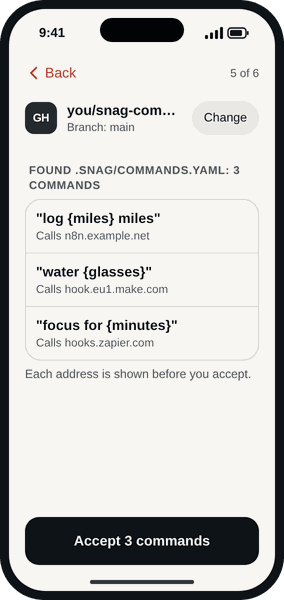
Every address shown before you accept. 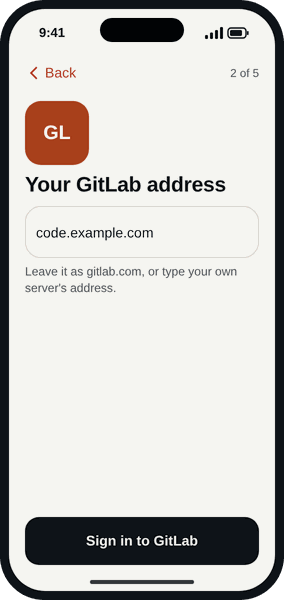
GitLab: gitlab.com or your own. 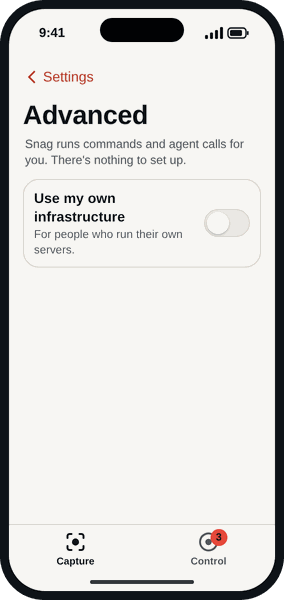
Advanced: the only place a server appears.
Your own models, your own backend
By default your Snag account runs commands and agent calls, and there's nothing to set up. Flip Use my own infrastructure under Settings, Advanced, and you can:
- point smart captures at your own OpenAI-compatible inference: a model on your own box, or a provider you already pay;
- call your agents and webhooks directly, without going through your Snag account;
- send captures to your own backend instead of the Snag account.
What stays private
- Your answers. Every agent has a level. Everyday answers can be spoken anywhere. Personal ones are spoken on headphones; on a speaker or in the car, Snag asks "Say it out loud?" first. Private ones show on screen, and are only spoken after that same question.
- Your repo. Snag reads one file, read only, from the repos you tick. GitHub's device code means Snag never sees your password.
- Your workflows. With a signing secret set, every call is signed, so your workflow can turn away anything that isn't from Snag. Keep the webhook address private: anyone with it can start the workflow.
- Your money. Block an action type, like spending, and Snag can't approve it at all.
- Your captures. With your own backend, Nextcloud or Obsidian, captures go to your server or your vault. The privacy notice covers the rest.
What it costs
Capturing to your own backends is free. Webhooks, Nextcloud, Obsidian, your own backend: no charge, on Free.
Snag Control is Pro, on every backend. Agents, approvals and commands are in Pro whether they run through your Snag account or your own infrastructure. That's £6.99 a month or £59.99 a year, with two weeks free to try it.